# Arduino IDE Installation

**The next section will explain the steps to install the Arduino IDE:**

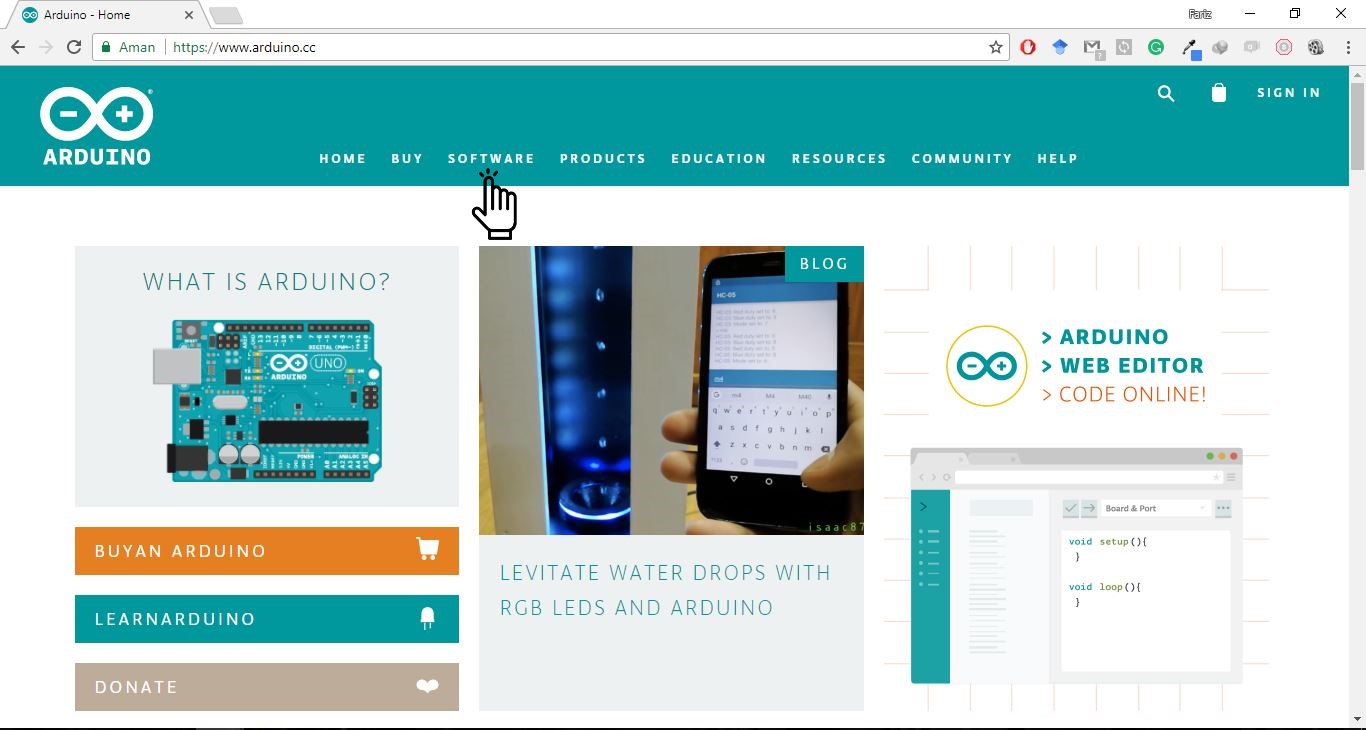
1. Visit rhe [arduino.cc](https://www.arduino.cc/). page and click [Software](https://www.arduino.cc/en/Main/Software) to perform installation.\
   &#x20;

   <figure><img src="https://content.gitbook.com/content/7cujmJ5QHdJaAjH815aZ/blobs/hkBMA9MsWcKv8et37uEI/tutorial-install-arduino-ide-1.jpg" alt=""><figcaption></figcaption></figure>
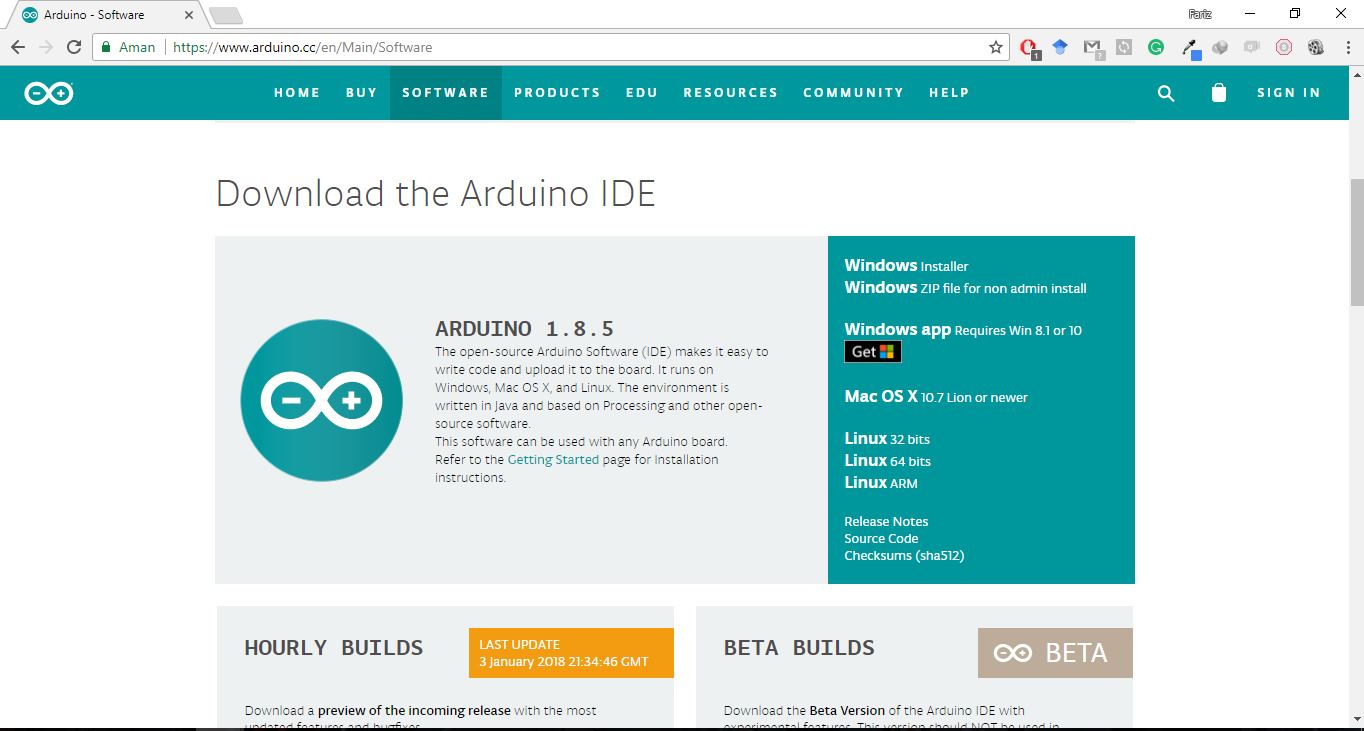
2. Select the installation package according to the Operating System being used\
   &#x20;<br>

   <figure><img src="https://content.gitbook.com/content/7cujmJ5QHdJaAjH815aZ/blobs/hjLv2jBYgxzL3pJSs1NC/tutorial-install-arduino-ide-2.jpg" alt=""><figcaption></figcaption></figure>
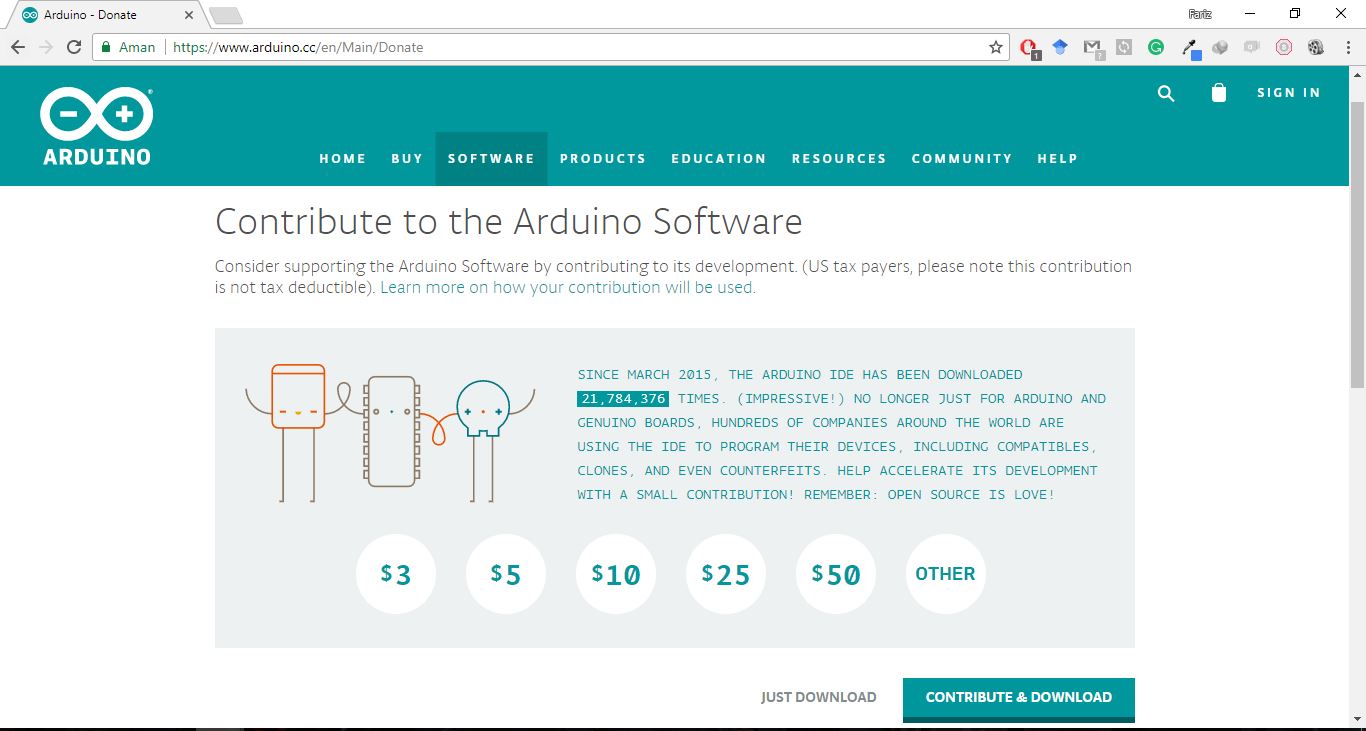
3. Click "JUST DOWNLOAD" to start the download process.<br>

   <figure><img src="https://content.gitbook.com/content/7cujmJ5QHdJaAjH815aZ/blobs/oQ42bKWzGA9Wguj8pHOH/tutorial-install-arduino-ide-3.jpg" alt=""><figcaption></figcaption></figure>
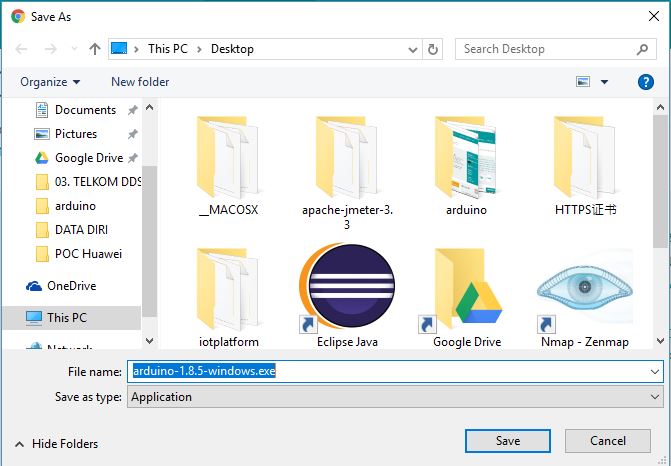
4. Save the installation package to your storage.\ <br>

   <figure><img src="https://content.gitbook.com/content/7cujmJ5QHdJaAjH815aZ/blobs/RuPY14iKCniXDjGVjfxO/tutorial-install-arduino-ide-4.jpg" alt=""><figcaption></figcaption></figure>
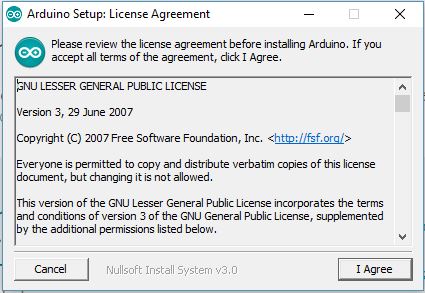
5. Select "I Agree" to continue the installation process.<br>

   <figure><img src="https://content.gitbook.com/content/7cujmJ5QHdJaAjH815aZ/blobs/mV12OcyFXIoNju7v0pxs/tutorial-install-arduino-ide-5.jpg" alt=""><figcaption></figcaption></figure>
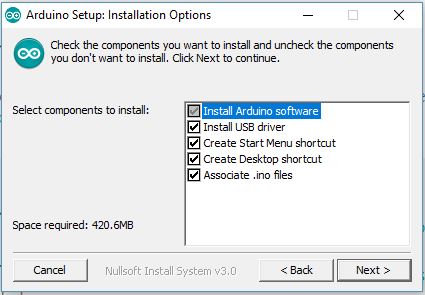
6. Select "Next" to continue the installation process.<br>

   <figure><img src="https://content.gitbook.com/content/7cujmJ5QHdJaAjH815aZ/blobs/ZfBoZy9JM0AngcArXmCF/tutorial-install-arduino-ide-6.jpg" alt=""><figcaption></figcaption></figure>
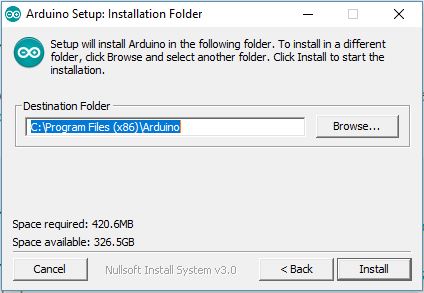
7. Select "Install" to continue the installation process...<br>

   <figure><img src="https://content.gitbook.com/content/7cujmJ5QHdJaAjH815aZ/blobs/cLZBOhojNWy6UswheOey/tutorial-install-arduino-ide-7.jpg" alt=""><figcaption></figcaption></figure>
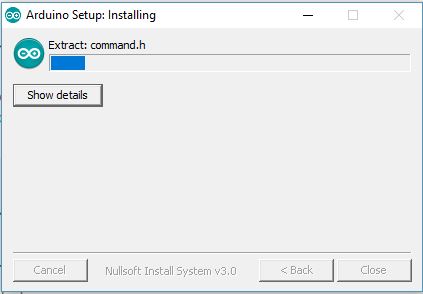
8. Wait for the installation process to complete.<br>

   <figure><img src="https://content.gitbook.com/content/7cujmJ5QHdJaAjH815aZ/blobs/kHN15ioh8q3SYsRGoIUA/tutorial-install-arduino-ide-8.jpg" alt=""><figcaption></figcaption></figure>
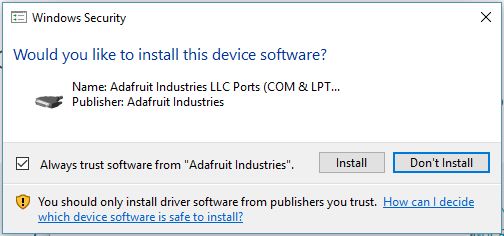
9. Select "Install" to continue the installation process.<br>

   <figure><img src="https://content.gitbook.com/content/7cujmJ5QHdJaAjH815aZ/blobs/UehJS2hx6DFyO696Nues/tutorial-install-arduino-ide-9.jpg" alt=""><figcaption></figcaption></figure>

**Congratulation, Installation is complete!**