# DHT11 Sensor Library

In this documentation you will be explained how to install the DHT11 library in the Arduino IDE. This library is used to try out the simple projects offered in the Antares documentation.

## Follow These Steps

### 1. Open Library Manager

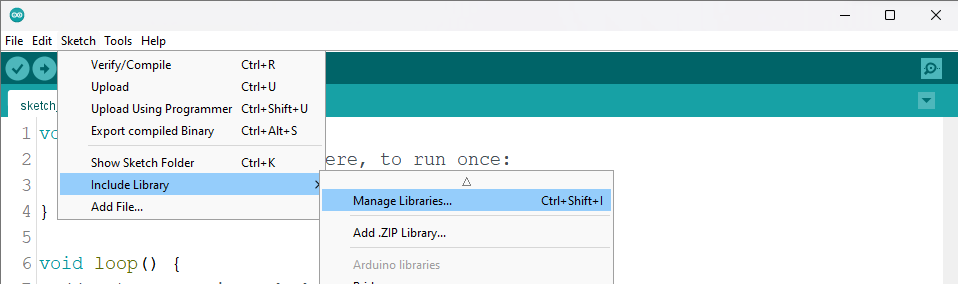
In this step you are asked to open the library manager by opening the **Sketch > Include Library > Manage library** menu as shown below.

<figure><img src="/files/enQJpLRoUNejTsC3lYi9" alt=""><figcaption><p>Image of the Sketch menu in the Arduino IDE.</p></figcaption></figure>

### 2. Install DHT Sensor Library

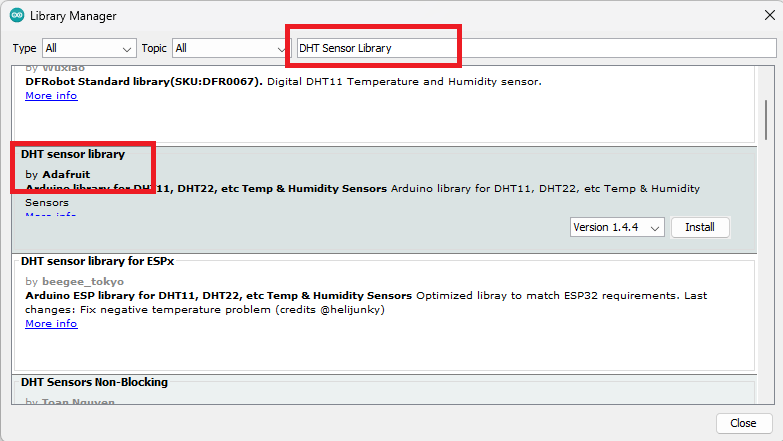
In this step you need to find the DHT11 Sensor Library in the Library Manager as shown below.

<figure><img src="/files/BMtUOLdp9LoCTayU8vHw" alt=""><figcaption><p>Image of DHT Sensor Library search in Library Manager.</p></figcaption></figure>

Make sure the library version used is the same as that used in the **ESP32** project, in the Antares documentation using the **DHT Sensor Library Version 1.4.4.** Then after being sure of the library version, then do the installation by pressing Install as shown below.

<figure><img src="/files/WqQgA289bTFgwUzY271w" alt=""><figcaption><p>Image of DHT Sensor Library Installation.</p></figcaption></figure>

### 3. Success Indicators

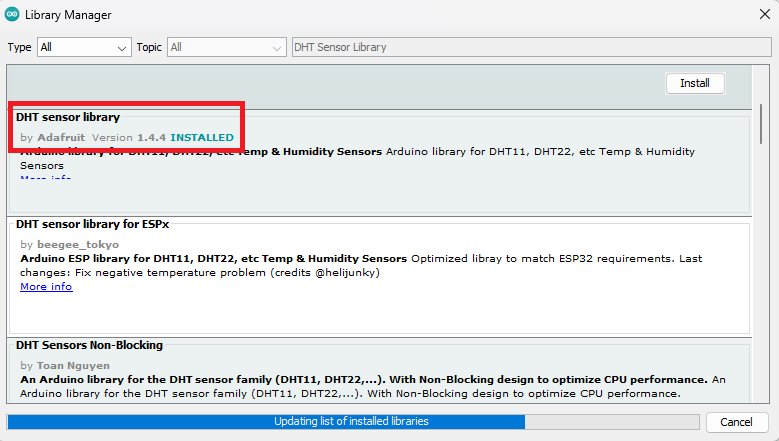
If the library installation is successful, the results will look like the following image.

<figure><img src="/files/1RxJIBwBLQ61Ply2laTi" alt=""><figcaption><p>An indicator of successful library installation in the Arduino IDE.</p></figcaption></figure>


---

# Agent Instructions: Querying This Documentation

If you need additional information that is not directly available in this page, you can query the documentation dynamically by asking a question.

Perform an HTTP GET request on the current page URL with the `ask` query parameter:

```
GET https://docs.antares.id/en/getting-started/arduino-library-installation/dht11-sensor-library.md?ask=<question>
```

The question should be specific, self-contained, and written in natural language.
The response will contain a direct answer to the question and relevant excerpts and sources from the documentation.

Use this mechanism when the answer is not explicitly present in the current page, you need clarification or additional context, or you want to retrieve related documentation sections.