> For the complete documentation index, see [llms.txt](https://docs.antares.id/llms.txt). Markdown versions of documentation pages are available by appending `.md` to page URLs; this page is available as [Markdown](https://docs.antares.id/en/subscription-and-payment/antares-coins/antares-coins-top-up-payment-procedures/payment-using-e-wallet-linkaja.md).
# Payment Using e-Wallet (LinkAja)
### Payment Procedure Using e-Wallet (LinkAja)
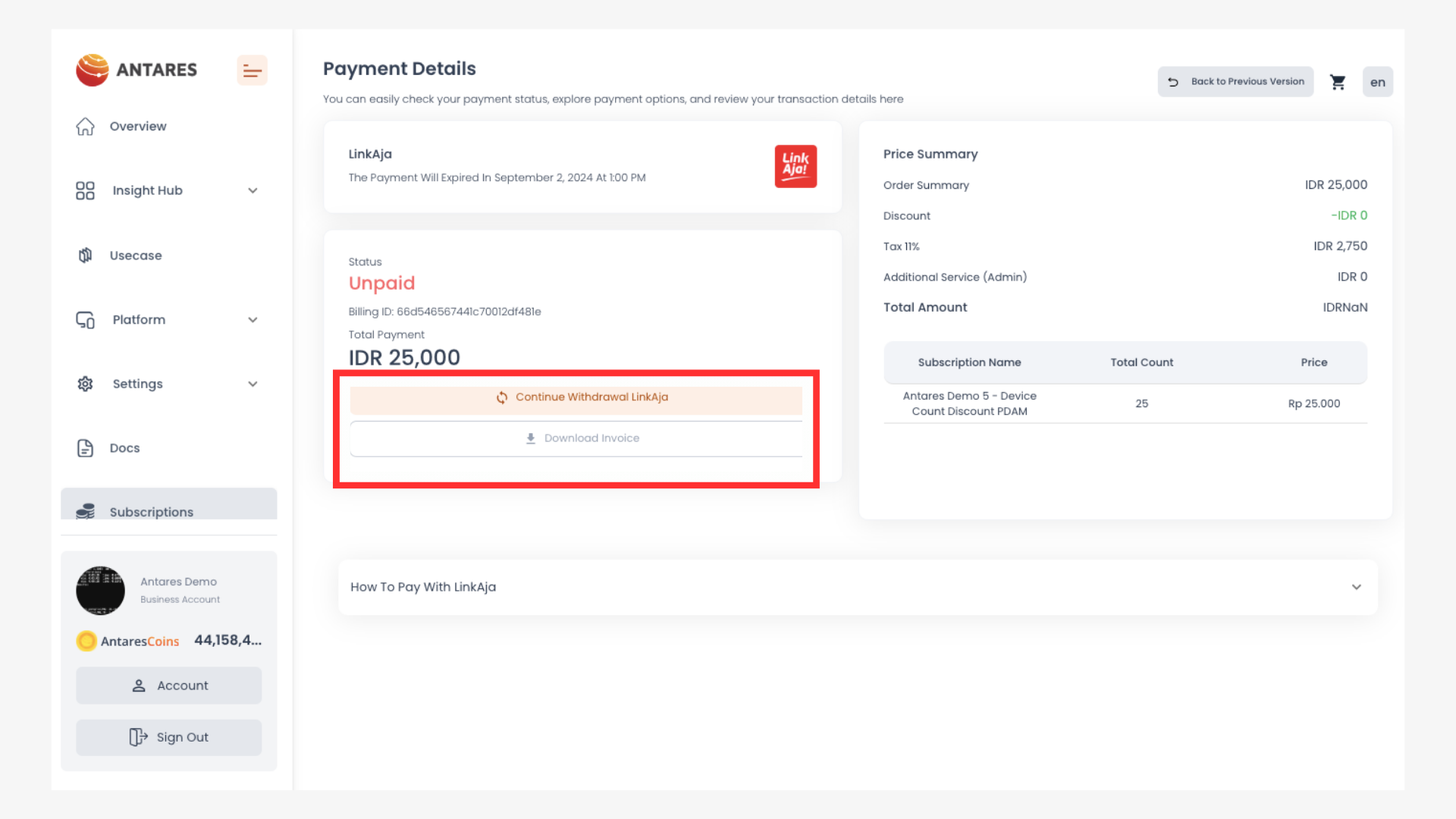
1. Log in to the LinkAja payment page
Click "Continue withdrawal LinkAja"
2. You will then be redirected to enter your mobile phone number and LinkAja PIN
You will be given 5 minutes to complete the payment.
3. Click "Continue"
4. Enter the verification code (OTP) sent via SMS, then click "Process"
5. Transaction completed.
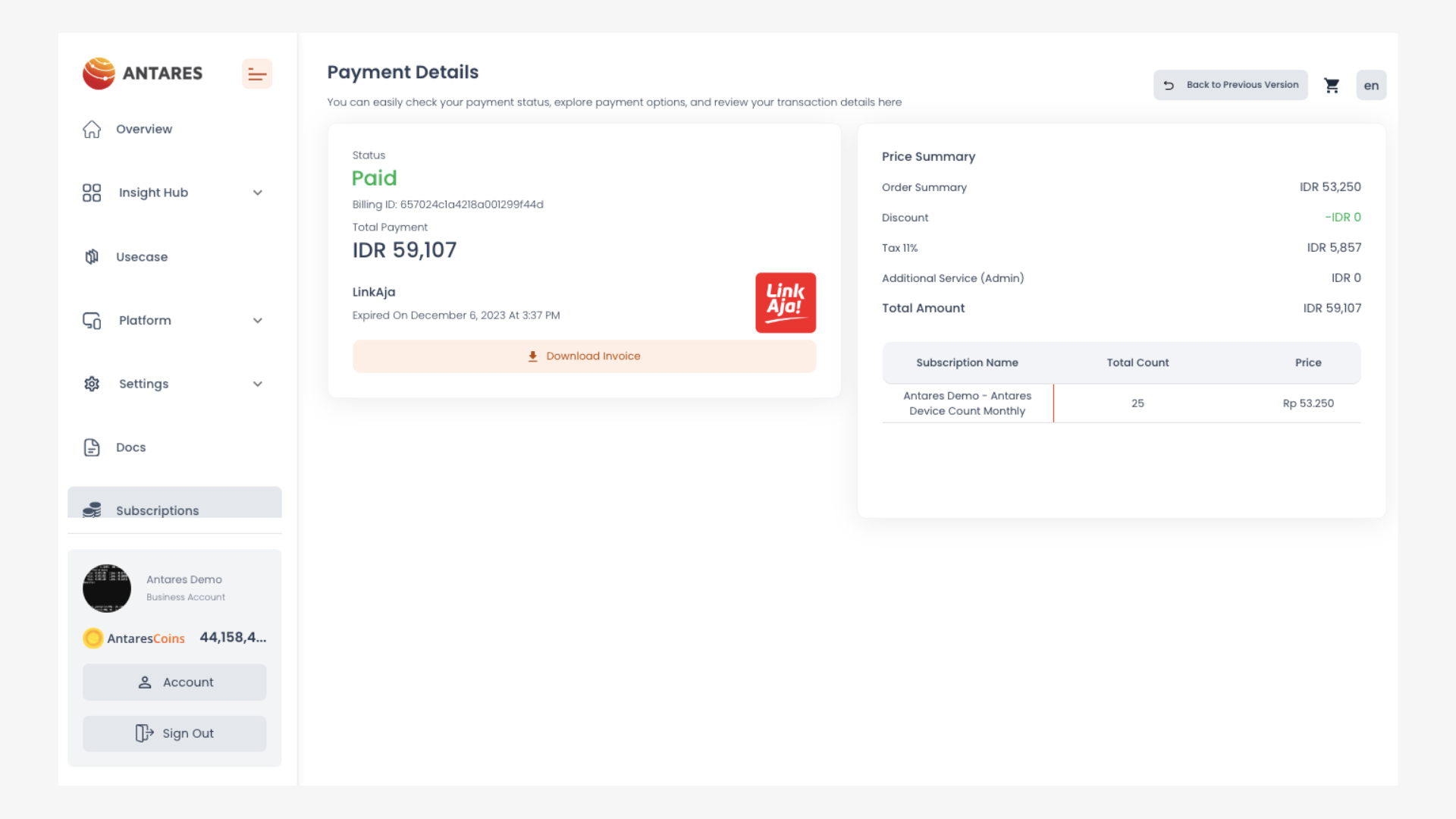
You will get a " Awaiting Payment" notification on the email registered to your Antares account. When the transaction process is complete, the display on the Antares page will change as shown below:
You will receive an invoice and a "Payment Successful" notification in your email.