> For the complete documentation index, see [llms.txt](https://docs.antares.id/llms.txt). Markdown versions of documentation pages are available by appending `.md` to page URLs; this page is available as [Markdown](https://docs.antares.id/pendahuluan/instalasi-library-arduino/antares-wi-fi-http.md).
# Antares Wi-Fi HTTP
Pada dokumentasi ini anda akan dijelaskan cara menginstall library Antares ESP dengan protokol **HTTP** dan connectivity Wi-Fi pada Arduino IDE. Library ini digunakan untuk mencoba project ESP32 Wi-Fi HTTP pada dokumentasi Antares. Library ini cocok digunakan untuk **ESP32** dan **ESP8266**.
## Langkah Kerja
### 1. Download Library
Langkah pertama anda perlumengunduh library dalam format .zip berikut.
{% file src="/files/EfxXdOsMKtWbfhEaeBqM" %}
{% hint style="warning" %}
Notes: Library diatas sudah dapat digunakan untuk ESP 32 dan ESP 8266 menggunakan komunikasi Wi-Fi dan protokol komunikasi HTTP.
{% endhint %}
### 2. Menginstal Zip Library
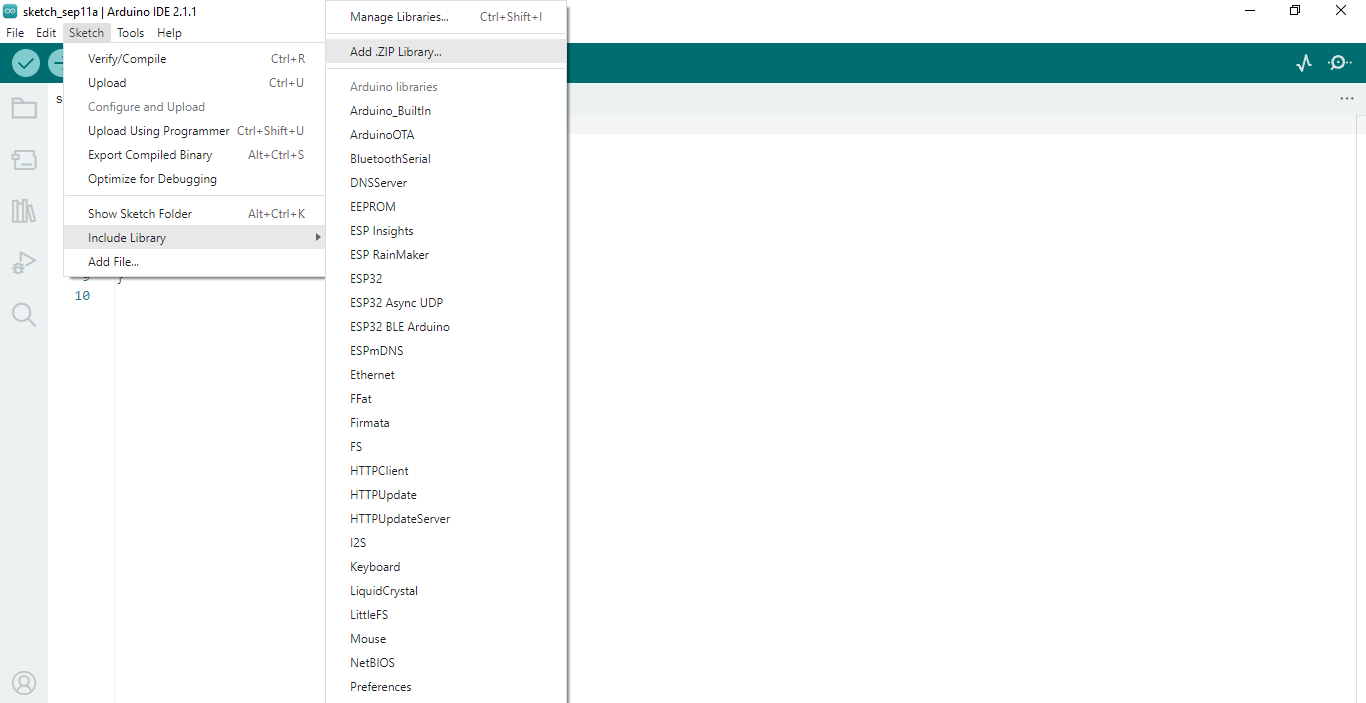
Pada langkah ini anda diminta membuka library manager dengan membuka menu **Sketch > Include Library > Add .Zip Library** terlihat pada gambar berikut.
Gambar menu Sketch pada Arduino IDE.
Cari lokasi file library yang sudah di download, kemudian input file yang sudah di download terlihat seperti gambar berikut.
Gambar Select Zip File pada Arduino IDE.
### 3. Indikator Keberhasilan
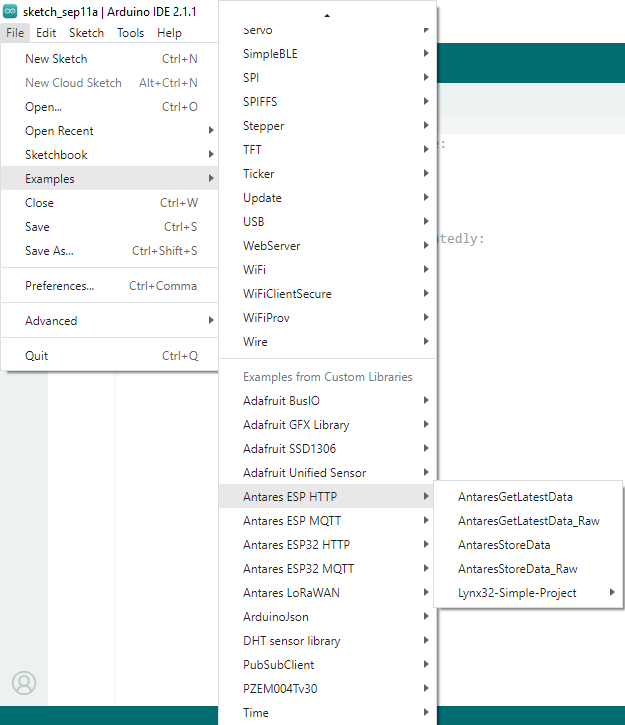
Jika instalasi library sukses maka example program dapat anda lihat di menu **File > Examples > Antares ESP HTTP**. Hasilnya terlihat seperti gambar berikut.
Gambar Example Antares ESP HTTP dan MQTT pada Arduino IDE.