> For the complete documentation index, see [llms.txt](https://docs.antares.id/llms.txt). Markdown versions of documentation pages are available by appending `.md` to page URLs; this page is available as [Markdown](https://docs.antares.id/subscription-and-payment/platform/tata-cara-pembelian-layanan-platform/pembayaran-menggunakan-e-wallet-linkaja.md).
# Pembayaran Menggunakan e-Wallet (LinkAja)
### Tata Cara Pembayaran Menggunakan e-Wallet (LinkAja)
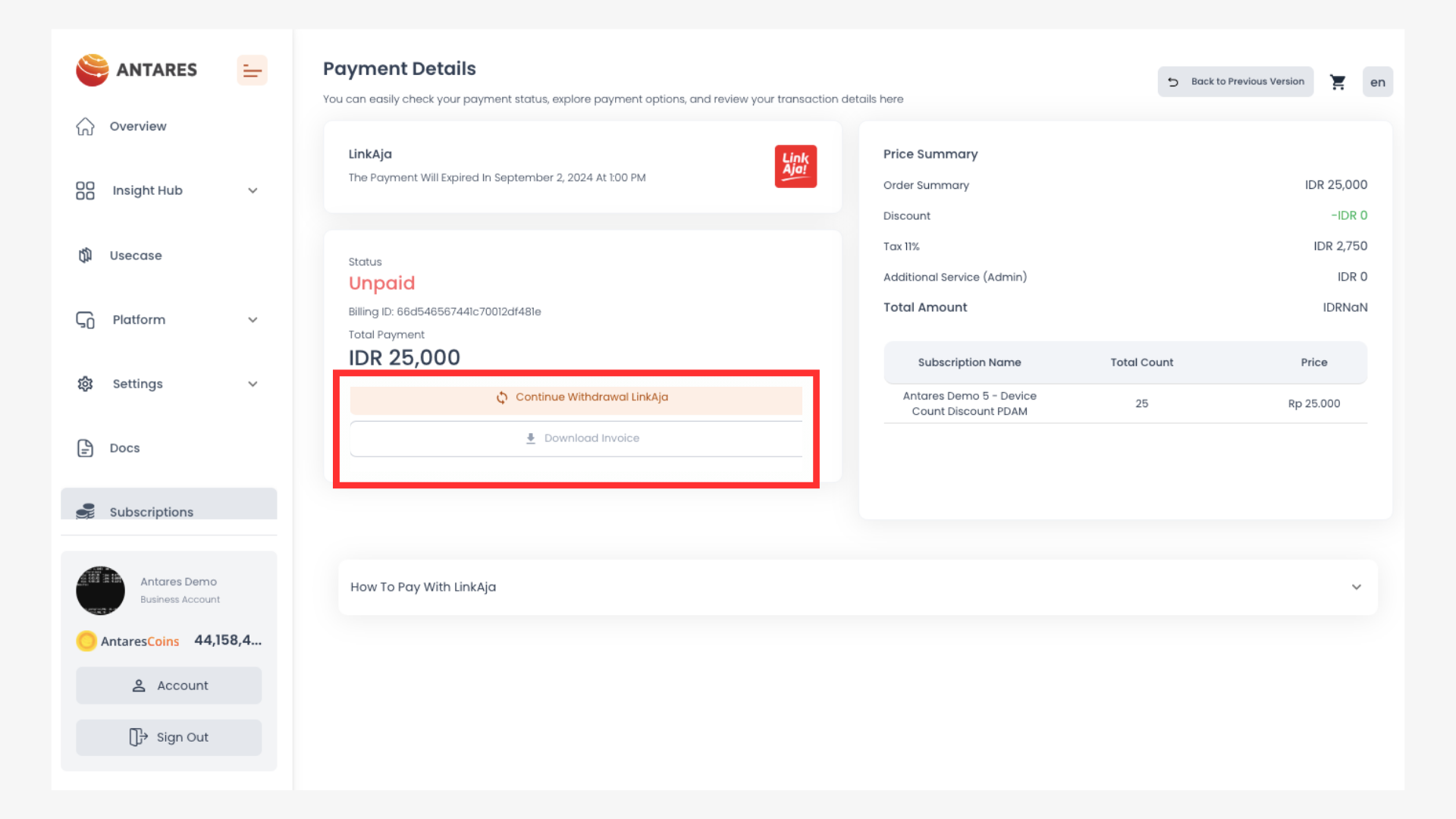
1. Masuk ke halaman pembayaran LinkAja
Klik "Continue withdrawal LinkAja"
2. Kemudian Anda akan diarahkan untuk memasukkan nomor handphone dan PIN LinkAja Anda
Anda akan diberikan waktu selama 5 menit untuk menyelesaikan pembayaran.
3. Klik "Continue"
4. Masukkan kode verifikasi (OTP) yang dikirimkan melalui SMS, lalu klik "Proses"
5. Transaksi selesai.
Anda akan mendapatkan notifikasi "Menunggu Pembayaran" pada email yang terdaftar pada akun Antares Anda. Apabila proses transaksi sudah selesai, tampilan pada laman Antares akan berubah seperti gambar berikut:
Anda akan mendapat invoice serta notifikasi "Pembayaran Berhasil" pada email Anda.